
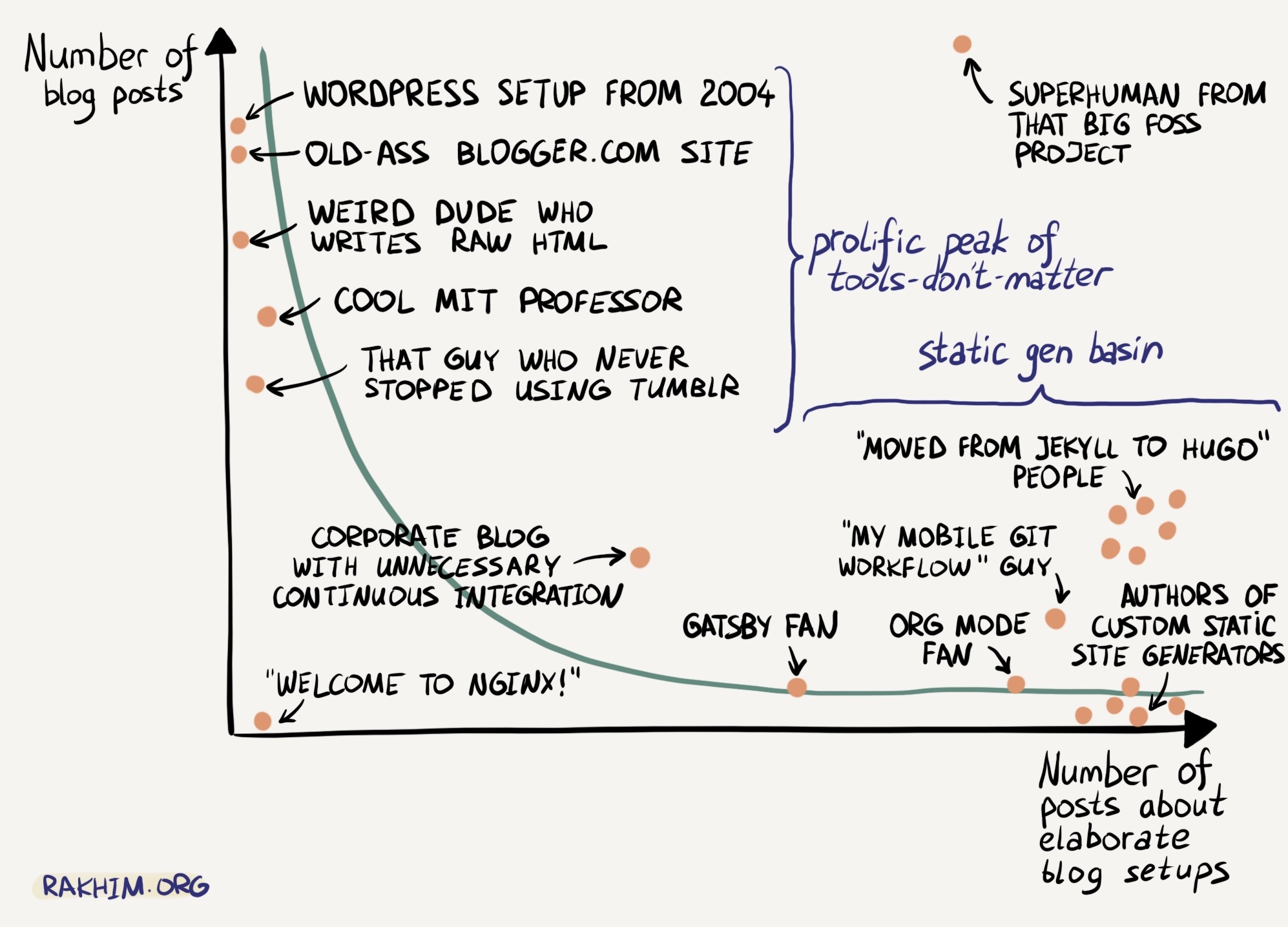
Recently I was on a team for MIT Mystery Hunt and we came in 8th place which was very fun. I crashed hard on Monday from lack of puzzle-shaped stimulation, and then on Tuesday went "welp enough being bored" so now y'all get to see me shoot off to the right on the "number of posts about elaborate blog setups" chart. you understand yes.
So anyways ! I got around halfway thru another "blogging about blgging" post when I thought it might benefit from some feedback, forgoing of my typical "one & done" approach to drafting. The way I normally go about this is:
- I attach the raw Markdown file to a Discord message.
- My recipients open it in the editor of their choice (usually Obsidian because it's really good).
But that sucks. I can't edit the attachments after-the-fact, so if I want to make a tweak, I'd either have to give everyone a diff to apply, or re-send the entire file to everyone, both of which are annoying for all parties involved. "Surely there must be a better way !"
Turns out anything is possible on the computer provided you apply enough force. So I that's what I did!
Attempt 1: What I Have Currently, But Better
So. I already have a post composer. And it already saves drafts to localStorage. What if I could make it save drafts to the server instead, and then the server could provide a read-only rendered view of those drafts to anyone who knows a given UUID?
Turns out that's not too hard at all! It's a few more hacks on top of an already-creaky codebase, but it does in fact work. There are buttons for "save draft" (saves to remote server), "edit draft" (loads from remote server), & "delete draft" (deletes on remote server), and an up-to-date lists of drafts is fetched on every page load.
However, this got me thinking: All the server is doing is managing markdown files, exactly how I'm working locally. Yet, despite being "just files" under the hood, the way I interacted with those files through the web interface was very... special. I still had to manually copy from my Obsidian vault where the "true" drafts lived, and the web-based file interface was much more clunky than anything I had natively. "Surely there must be a better way !"
Attempt 2: Re-Thinking The Interaction
Of course there is. Anything is possible on the computer; I simply needed to provide more force. By the power of my three remaining brain cells colliding all at once, I came up with an Ideal Workflow:
- I can edit the files in Obsidian, locally, where I've always been editing them.
- Said files near-instantly show up behind a URL, assuming I have internet to upload with.
From there, it's just a matter of figuring out how to enable this :)
I already have Syncthing set up for syncing drafts between my phone and my desktop, so I also added it to be synced to the /var/opt/syncthing directory on the server the post composer lives on, using Docker because I'm lazy (docs):
# syncthing/docker-compose.yml
services:
  syncthing:
    image: syncthing/syncthing
    container_name: syncthing
    hostname: syncthing
    environment:
      - PUID=1001
      - PGID=1001
      - STGUIADDRESS=
    volumes:
      - /var/opt/syncthing:/var/syncthing
    network_mode: host
    restart: unless-stopped
    healthcheck:
      test: curl -fkLsS -m 2 127.0.0.1:8384/rest/noauth/health | grep -o --color=never OK || exit 1
      interval: 1m
      timeout: 10s
      retries: 3
# systemd/syncthing.service
[Unit]
Description=Syncthing via Docker Compose
Requires=docker.service
After=docker.service
[Service]
Restart=always
User=root
Group=docker
TimeoutStopSec=15
WorkingDirectory=/home/ubuntu/infrastructure/syncthing
ExecStartPre=/usr/bin/docker compose -f docker-compose.yml down
ExecStart=/usr/bin/docker compose -f docker-compose.yml up
ExecStop=/usr/bin/docker compose -f docker-compose.yml down
[Install]
WantedBy=multi-user.targetand, of course, we also want to expose the management interface remotely, just in case things go wrong (docs):
# nginx/rc.wolfgirl.dev.nginx
server {
	# ...
	location /syncthing/ {
		# Authenticate with ngx_http_auth_request_module, for my custom JWT authentication
		auth_request	/auth;

		# Needed in order for syncthing to know it's secure behind a reverse proxy
		proxy_set_header	Host "localhost";
		proxy_set_header	X-Real-IP $remote_addr;
		proxy_set_header	X-Forwarded-For $proxy_add_x_forwarded_for;
		proxy_set_header	X-Forwarded-Proto $scheme;

		proxy_pass	http://localhost:8384/;

		proxy_read_timeout	600s;
		proxy_send_timeout	600s;
	}
	# ...
}
Then, I can configure my website to read from a subdirectory of that synced folder. (It's important to be a subdirectory, since that means I can change the visibility of a draft at any time.) Finally, I can re-use the post renderer I made in Attempt 1, get rid of most the composer functionality, add a simple file explorer, and blam! Drafts :)
At this point, one might think "well why don't I just move my entire site onto this system?", but I have good reason not to: the finished post site has a very different performance profile compared to a drafts site. Because finished posts (1) change much less often and (2) serve much more traffic, I prefer to serve it from statically-generated files in an S3 bucket behind AWS Cloudfront w/ generous cache policies, whereas the drafts site is perfectly good to "re-render Markdown to HTML every time a request is made" on a VPS w/ no caching. There are tradeoffs with either approach, and the usecase requirements inform each deployment.
This does mean the markdown rendering/CSS for drafts vs finished posts are slightly different. Overall it's not a huge biggie, but at some point I would like to unify them. That is a fair bit harder tho, so I'll leave that for later :)
Thanks for reading, hope this inspires some more cursed setups!! :3